
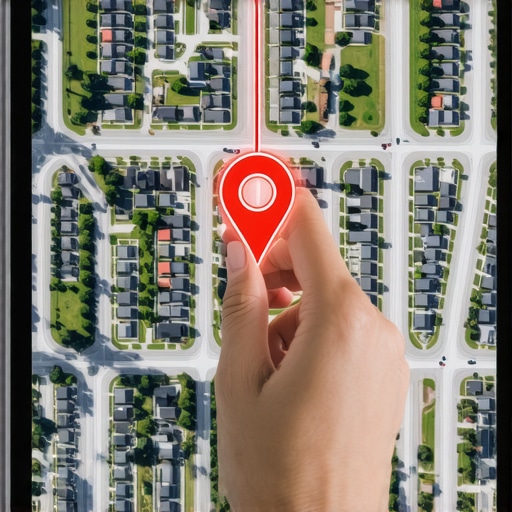
The sidewalk smells like wet concrete and the air carries a sharp metallic tang after the morning rain. I am standing on a street corner in a neighborhood that the digital world just renamed. To a casual observer, nothing has changed, but in the sprawling spatial database that governs your local revenue, the world has shifted three feet to the left. These glitches are where map rankings go to die. I look at storefronts through a lens that sees more than just signage; I see the forensic traces of data points that no longer align with the physical reality of the pavement. When Google redrafts its neighborhood polygons, businesses that were once at the heart of the action find themselves suddenly on the digital periphery. This is not about keywords or backlinks in the traditional sense. This is about the physics of proximity and the mathematical weight of a GPS pin that the algorithm now views with suspicion.
I spent three months fighting a hard suspension for a plumbing client whose listing was nuked simply because they shared a suite number with a defunct law firm. Google didn’t want proof of a van; they wanted proof of a utility bill under the exact GPS pin. We were battling a ghost in the machine. While we fought that war, the city updated its zoning records, and Google reflected that by moving the neighborhood boundary line two blocks east. My client, once the king of the central district, was now categorized as being in the industrial outskirts. The calls stopped. The map pack vanished. We had to prove not just that the business existed, but that it belonged to a specific geographic intent that the algorithm had redefined. This experience taught me that local search is a game of inches, played out in the invisible layers of coordinate salience.
The invisible lines that move your business
Neighborhood boundary updates happen when Google Maps modifies its internal Geospatial Polygons to better align with User Intent and local Residential Patterns. These updates directly influence Proximity Signals because the Map Pack algorithm calculates the Centroid of a search area based on these defined borders rather than static city limits. To fix a ranking drop after such an update, you must re-establish your Geographic Relevance through updated Schema Markup and localized Citation Reinforcement.
When these lines shift, your proximity to the new center of the neighborhood matters more than your historical performance. If you are struggling with [why your google business profile isnt showing up for nearby searches](https://maprankingformula.com/why-your-google-business-profile-isnt-showing-up-for-nearby-searches), the problem often lies in this geometric misalignment. The algorithm looks for high-density signals within the new boundary. If your profile still points to old neighborhood nomenclature, you are effectively a stranger in your own town. You need to look at how your business is anchored to the specific coordinates that Google now associates with your service area. This requires more than just a name change; it requires a complete audit of your digital footprint to ensure every mention of your location aligns with the new reality. Often, [the specific toolkit needed to dominate hyper local search results](https://maprankingformula.com/the-specific-toolkit-needed-to-dominate-hyper-local-search-results) is the only way to see where these new lines actually fall.
The three mile radius that determines your revenue
Proximity and Behavioral Zooming are the primary factors in how the Google Local Algorithm decides which businesses appear in the 3-Pack for a specific query. The Search Radius is dynamic, narrowing in high-density areas and expanding in rural zones, but it always keys off the User Point of Origin. If your ranking has slipped, it is likely because your Entity Authority is not strong enough to overcome the Distance-Weighted Penalty imposed by a boundary shift. Strengthening your Local Justifications in reviews and posts can help expand this narrow radius.
“Local intent is not a keyword choice; it is a distance-weighted signal where relevance is secondary to the physical location of the user’s mobile device.” – Map Search Fundamental
The math of the map is cold. It does not care that you have been in business for fifty years if a competitor is two hundred feet closer to the user. However, you can fight back by increasing your signal density. This involves [the practical way to outrank competitors who have more reviews](https://maprankingformula.com/the-practical-way-to-outrank-competitors-who-have-more-reviews) by focusing on the quality and location-specificity of those interactions. If a customer leaves a review and mentions the specific neighborhood name that Google just updated, that is a gold mine for your relevance score. You should also be [checking your radius why you arent ranking two blocks away](https://maprankingformula.com/checking-your-radius-why-you-arent-ranking-two-blocks-away) to see if there is a specific street or landmark that is acting as a signal barrier. Sometimes a single highway or park can act as a wall in the algorithm’s mind, cutting off your visibility to a lucrative demographic just a few hundred yards away.
Why your physical address is a liability
Physical Address Salience depends on how well your Location Data matches the Real World Usage patterns tracked by Google through Android Location History and Google Maps Navigation. If your address is tucked away in a complex or behind a major thoroughfare, the algorithm may flag you as Low Accessibility, which suppresses your rank during High Traffic Periods. Fixing this requires [how cleaning up your citations actually fixes broken map rankings](https://maprankingformula.com/how-cleaning-up-your-citations-actually-fixes-broken-map-rankings) and ensuring your Access Points are correctly mapped in the Google Business Profile backend.
I have seen businesses lose 40 percent of their traffic because a new median strip was installed on their street, making a left turn impossible. Google’s data reflects that increased friction. If people are not visiting you because the